
IPTV buffering fix on Firestick is essential for users who experience freezing, lag, or constant loading while streaming live TV and on-demand content in 2026.
This complete guide explains the best IPTV buffering fix on Firestick, why buffering happens, and how to permanently solve it.
IPTV Buffering Fix on Firestick: What Causes the Problem?
Before applying fixes, it is important to understand why IPTV buffering happens. Buffering is usually caused by one or more of the following factors.
1. Slow or Unstable Internet Connection
IPTV requires a stable and continuous data stream. Even if your internet speed looks high on paper, instability or packet loss can cause buffering.
Recommended speeds:
- 25–30 Mbps for HD
- 40–50 Mbps for Full HD
- 60+ Mbps for 4K
2. Overloaded IPTV Servers
Many IPTV services oversell subscriptions on limited servers. During peak hours (sports events, evenings), servers become overloaded, causing buffering.
This is the most common reason IPTV buffers on Firestick.
3. Incorrect IPTV App Settings
Default IPTV app settings are often not optimized for Firestick hardware, which can lead to:
- High buffer time
- Excessive cache usage
- App freezing
4. Weak Wi-Fi Signal
Firestick performance depends heavily on Wi-Fi quality. Distance from the router, walls, or interference can severely affect streaming stability.
5. Low-Quality IPTV Providers
Cheap or unreliable IPTV providers often:
- Use unstable stream sources
- Switch servers frequently
- Lack proper load balancing
No technical fix can compensate for a poor IPTV service.
IPTV Buffering Fix on Firestick – Step-by-Step Solutions
1. Restart Firestick and Router
This clears temporary network conflicts.
Steps:
- Unplug Firestick (30 seconds)
- Restart modem + router
- Reconnect Firestick and test IPTV
Simple, but effective.
2. Check Your Internet Speed
Run a speed test directly on Firestick.
If speeds drop during evenings, buffering is likely network-related or server-related.
3. Optimize IPTV App Settings (Very Important)
In apps like IPTV Smarters or TiviMate:
- Increase buffer size (if available)
- Disable unnecessary animations
- Turn off background processes
- Use hardware decoding when supported
These settings significantly reduce buffering.
4. Clear Cache Regularly
Cache overload can slow IPTV apps.
Steps:
- Settings → Applications
- Manage Installed Applications
- IPTV app → Clear Cache (not data)
Do this once per week.
5. Use Ethernet Instead of Wi-Fi (Best Fix)
A wired connection eliminates Wi-Fi instability.
Use a Firestick Ethernet adapter if possible. This alone can solve 80% of buffering issues.
6. Avoid Using VPN Incorrectly
VPNs can help in some cases, but low-quality VPNs often cause buffering.
If using a VPN:
- Choose a fast server close to your location
- Avoid free VPNs
- Test IPTV with VPN ON and OFF
The Most Important IPTV Buffering Fix on Firestick (Truth)
If buffering persists after all technical fixes, the real problem is the IPTV service.
A stable IPTV service should offer:
- Optimized streams for Firestick
- Multiple global servers
- Anti-freeze technology
- Load-balanced infrastructure
IPMasterTV is designed to reduce buffering by using stable servers and Firestick-optimized streams rather than overloaded shared sources.
Firestick Device Optimization Tips (Often Ignored)
- Keep at least 2 GB free storage
- Remove unused apps
- Keep Firestick OS updated
- Avoid running multiple apps in background
A clean Firestick runs IPTV more smoothly.
Is IPTV Buffering Normal?
Occasional buffering can happen during:
- Major live sports events
- Temporary ISP issues
However, constant buffering is not normal and usually indicates either:
- A poor IPTV provider
- Incorrect Firestick setup
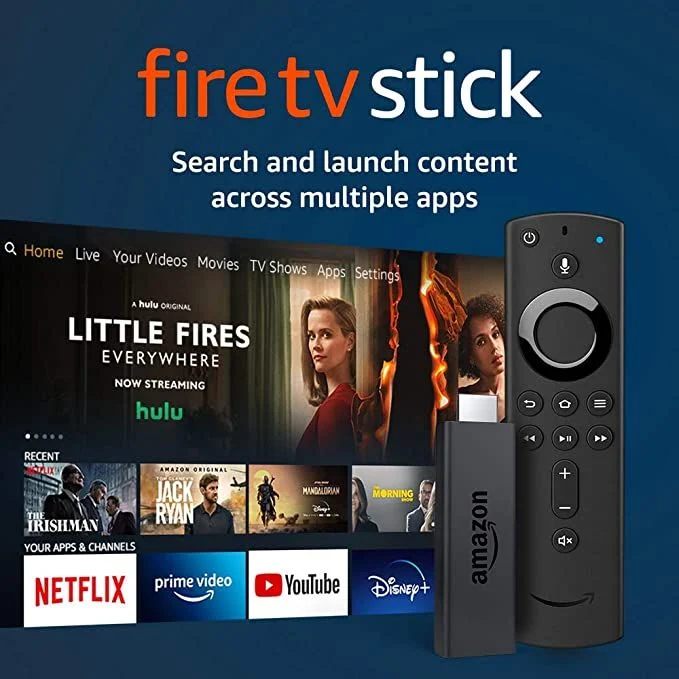
For users experiencing persistent IPTV buffering on Firestick, it is important to rely on official hardware and platform documentation when optimizing streaming performance. The Amazon Fire TV Stick 4K is specifically designed for high-bandwidth streaming and supports modern video codecs required for IPTV playback, and you can review its official specifications directly on Amazon at https://www.amazon.com/fire-tv-stick-4k. In addition, most IPTV applications are built on the Android TV ecosystem, so understanding how Android TV handles media playback and device compatibility can improve overall performance, with full details available on the official Android TV platform page at https://www.android.com/tv/.
Final Thoughts
Finding the right IPTV buffering fix on Firestick requires both technical optimization and choosing a reliable IPTV service. While Firestick is a powerful streaming device, its performance depends heavily on network stability and server quality.
By applying the fixes in this guide and using a professionally optimized IPTV service, you can eliminate buffering and enjoy smooth, high-quality streaming in 2026.